
This article is designed for schools who have migrated to Arbor from SIMs using the Groupcall API. It details the steps you need to take once you have validated your data so that your third party applications can connect to Arbor via Groupcall.
Note: Any applications that connect to Arbor via the Groupcall API will not work until these steps are completed. It is important that you follow this guide as soon as possible after your live Arbor migration.
Why is this important
Arbor migrates your data via Groupcall's 'Xporter on demand'. This means that data is transferred via API as the Groupcall 'end point' is connected to SIMs. Any applications that connect to Groupcall will continue to sync with SIMs until the 'end point' is switched to Arbor. Once the 'end point' is switched to Arbor, we will not be able to pull any more data from SIMs.
It is therefore important that these steps are completed as soon as your migration is completed and your end point is only switched to Arbor once you have validated your data migration.
API End Point switch over process
Check your data migration report
Once migration is complete, Arbor will produce a Data Migration Report which has a snapshot of all your main data sets that Arbor has migrated. It is crucial your team or checks this report within the first 5 working days from your Go- Live date.
If you spot any data discrepancies please raise those directly to Arbor support team or your dedicated partner within the first 5 working days from your Go Live date. It is very important you raise these issues within the first go live week to enable your next step of switch over process.
Sign off your data migration report
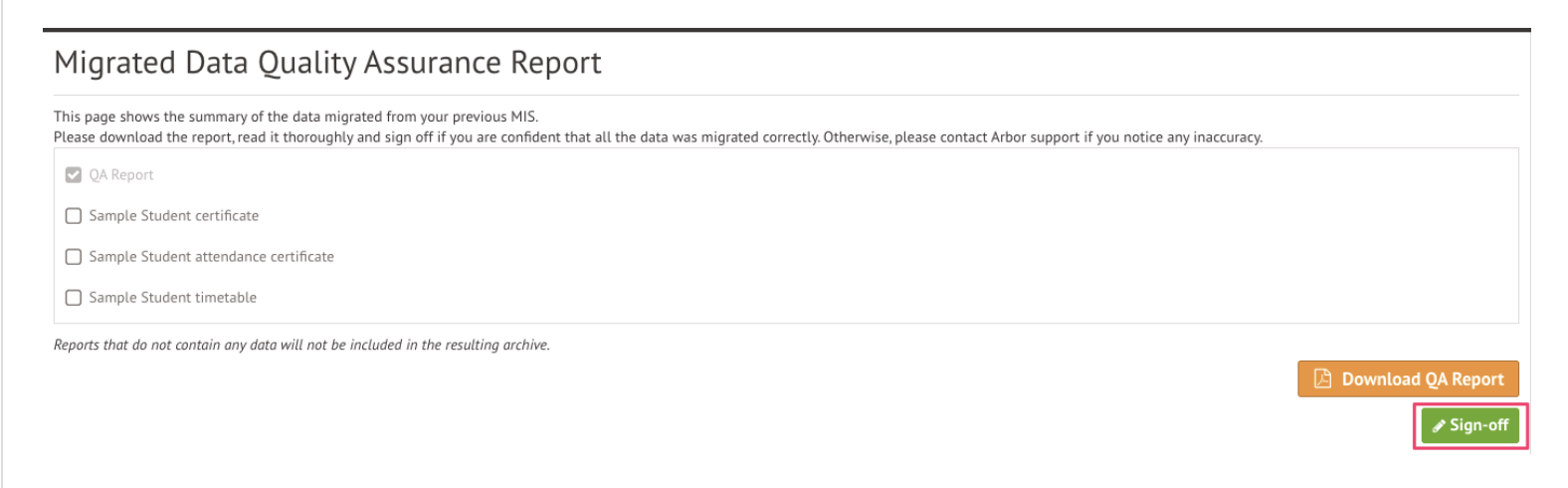
Once you are happy with the data that has migrated you must sign off the Data Migration report before you are able to proceed with the Group Call API switch.
You can do this by going to School > Data > Data Migration Report and clicking the green Sign Off button. Leaving incorrect data in Arbor for any longer may make it more difficult to resolve the issues and progress with Group Call switch over.
Revoke data sharing and switch end point
Once you have completed step two Arbor will ensure the data sharing via Group Call is revoked at our end and you are ready to book a time with the GroupCall team to process the switch over. Please check the guidance on how to book the switch over call.
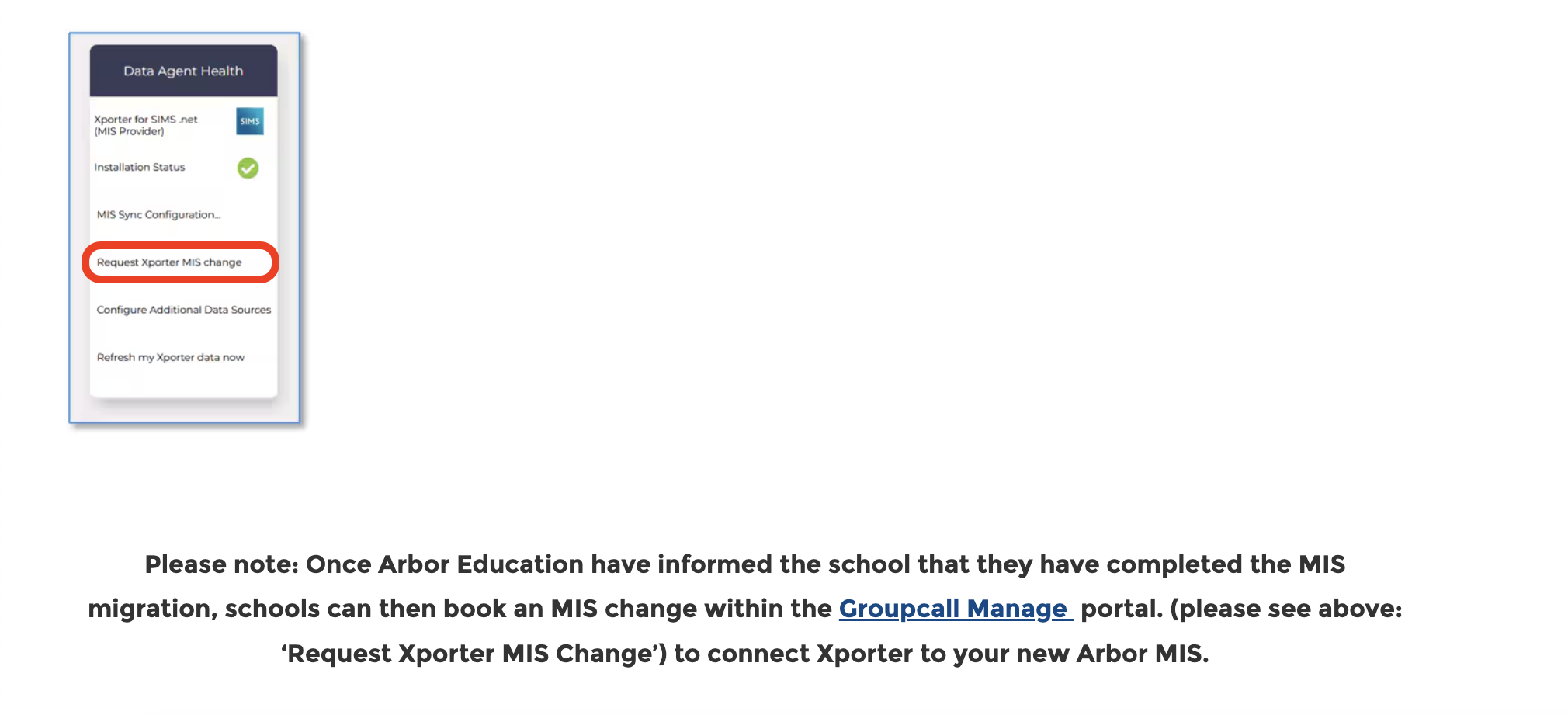
Note: this can be pre booked in advance, if you are looking to do that please make sure you consider the time for data checking post migration - do not book a switch over call on a first go live day, leave 10 days after go live for data checks and fixes if needed.
Important considerations
Below you can see a few main consideration points we strongly advise you to review.
- Review Connected Applications: Identify other systems connected to SIMS via Group Call API and plan how you will ensure data is kept up to date until you connect Group Call to Arbor.
- Timely Data Checks: Promptly review your data in Arbor to identify and address any discrepancies. Any data issues need to be raised with our team within first 5 days of using your new MIS, issues raised any later will be affecting your ability to switch Group call API to Arbor.
- Data visibility loss: As soon as you switch over GroupCall connection from SIMS to Arbor - we can longer see and resync your data. Any discrepancies discovered after that will need to be managed manually.
Checklist
- Upload and Review your Data Check Reports: Click here if you are on the Primary onboarding journey and here if you are on the Secondary onboarding journey
- Conduct data checks within 5 days of go-live.
- Report any data issues promptly.
- Tick off your Data Checking task in Spaces
- Book or proceed with the previously booked SIMS to Arbor GroupCall API switch over
Where to get help
Your onboarding manager or team will be able to assist you if you have any issues or would like further advise on the above. You can contact your Onboarding Manager directly or contact the team on myonboarding@arbor-education.com.
Comments
Please sign in to leave a comment.